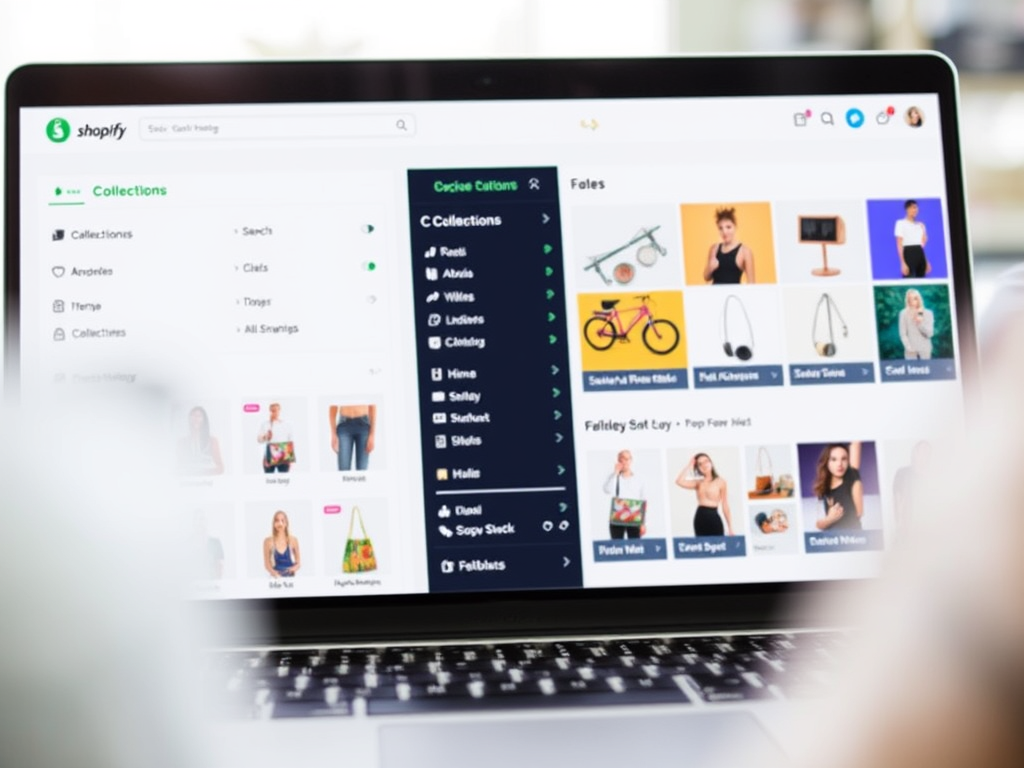
Shopify Search & Discovery, Collections, and Smart Filters | ShopOptimizers

Boosting Catalog Performance with Shopify Search & Discovery, Collections, and Smart Filters

If you’re running a Shopify store, you know that having great products is only half of the equation. The other half is making sure your customers can find those products quickly, intuitively, and with zero friction. That’s where Search & Discovery, Collections, and Smart Filtering come in. When used together, they can transform your catalog into a discovery engine that improves conversion rates, reduces bounce, and makes your site feel polished and helpful.

At ShopOptimizers, we believe that optimizing these three components is essential. Here’s how to think about them, and steps you can take today to get results.

What are they — and why do they matter

  • Search & Discovery is Shopify’s tool (via the Search & Discovery app) that helps you do more than match keywords. It allows for synonyms, results boosting, recommendations, analytics, autocomplete, typo tolerance, and filter customization. Shopify App Store
  • Collections are how you group products — by style, by product type, by theme, by season, by customer segment, etc. They help structure your catalog so customers can browse meaningfully.
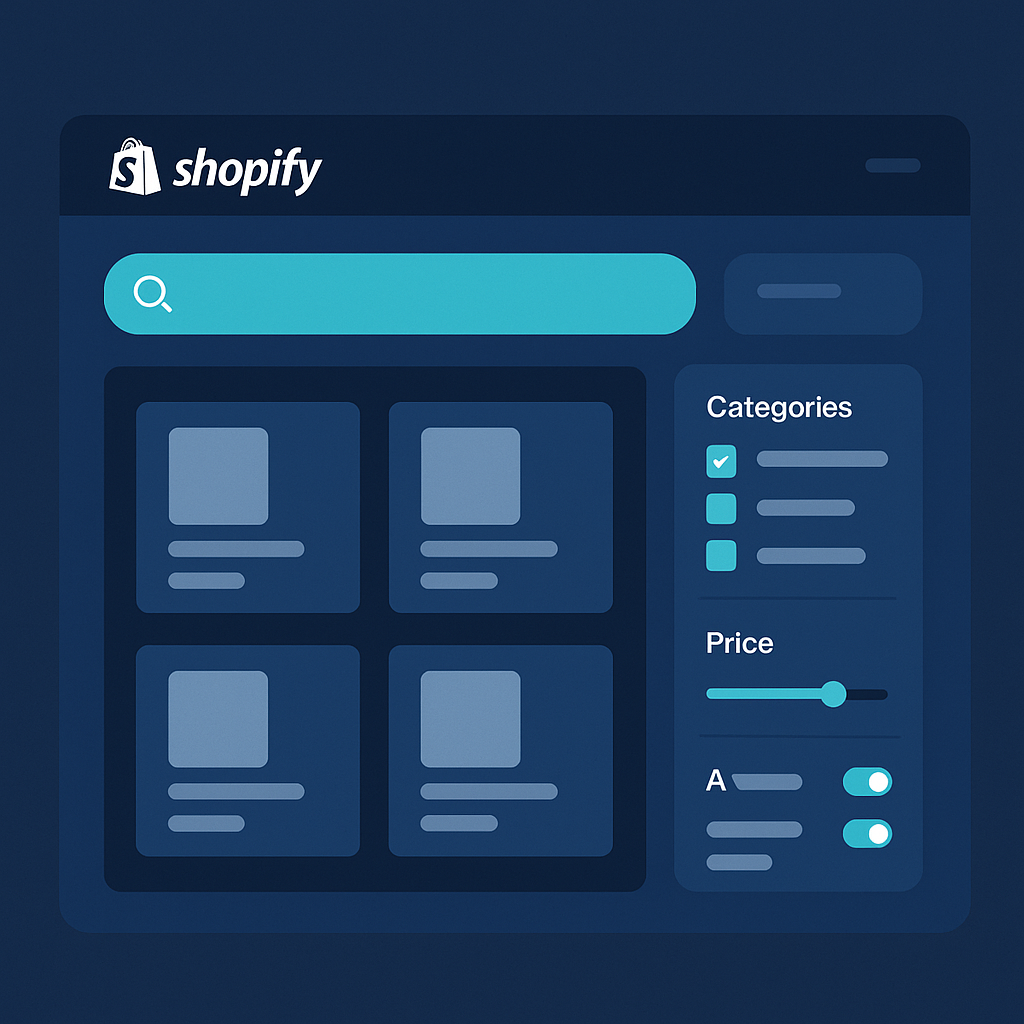
  • Smart Filtering refers to giving shoppers tools (price sliders, color swatches, size dropdowns, vendor filters, tags, custom metafields) to narrow down results so they see just what’s relevant to them. Shopify Help Center+1

When these three are done well, here’s what happens:

  • Customers get to their desired products faster
  • Less frustration and fewer dead-end searches
  • Higher conversion rates because shoppers are guided rather than overwhelmed
  • Better insights from analytics (you see what they search for, which filters they use, where they drop off)
  • More efficient merchandising (you can highlight or boost certain collections or products based on search/filter data)

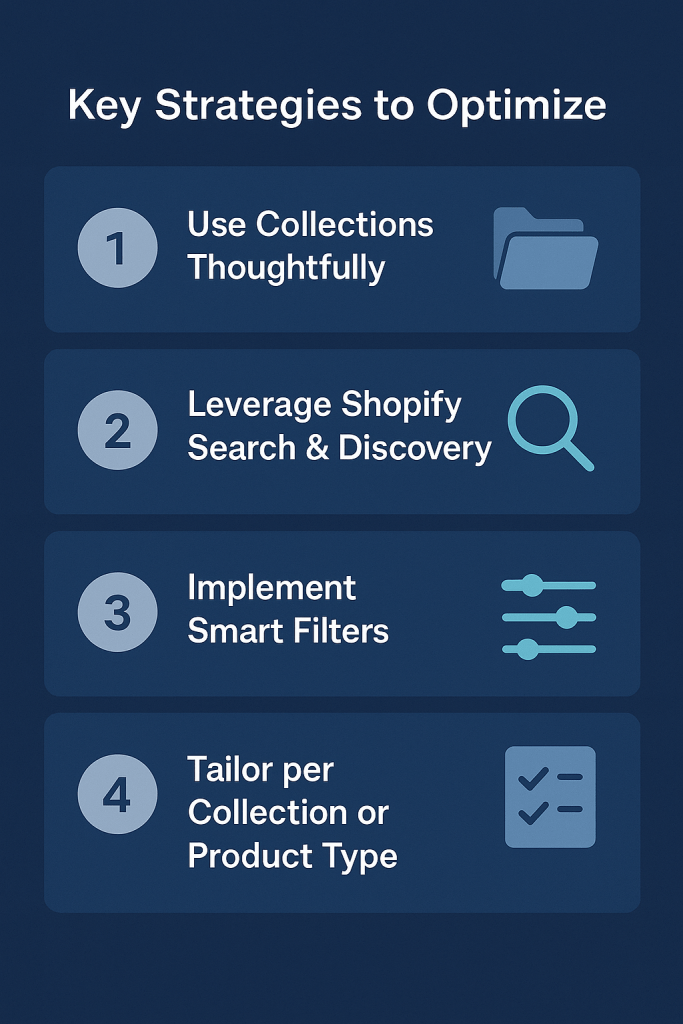
Key Strategies to Optimize

1. Use Collections Thoughtfully

  • Be intentional: Don’t just group by “All Products.” Think about how your customers shop — by style, by use case, by season, by need.
  • Avoid over-large collections: Shopify’s Search & Discovery filters don’t display when a collection has more than 5,000 products. If you hit that number, consider splitting into sub-collections. Shopify Help Center
  • Mix curated and smart collections: Curated collections let you pattern how you want products to appear (e.g. on season trends). Smart collections (automatically generated based on tags, product type, vendor) reduce maintenance and ensure consistency.

2. Leverage Shopify Search & Discovery

  • Enable synonyms & typo tolerance. For example, if people sometimes search “sneakers” vs “trainers” vs “running shoes,” set up synonym groups so they all lead to relevant products. Shopify App Store
  • Boost products when needed. If inventory is full, or margins are strong on certain items, give them higher visibility in search results.
  • Customize recommendations. Show complementary items, upsells, or recently viewed within product pages to keep the customer’s attention and increase AOV (average order value).
  • Use analytics. Track no-result searches, which filters are used most, which terms lead to purchases. Then adjust product metadata, tagging, or boosting accordingly.

3. Implement Smart Filters

  • Standard filters like price, vendor, product type are useful for all stores. Shopify Help Center
  • Custom filters using metafields or product options are what make filtering precise (for example: “material,” “pattern type,” “feature”). Shopify Help Center
  • Visual filters (color swatches, small icons) help, especially in fashion, lifestyle, and home goods. Visual cues speed decision making. Shopify Help Center
  • Filter behavior matters: how filters combine (AND / OR logic), handling empty values (hide or move to bottom), grouping similar values (e.g. “red,” “ruby,” “burgundy” under “Red”). Shopify Help Center+1

4. Tailor per Collection or Product Type

Don’t use the same set of filters for every collection. A collection of women’s dresses should offer size, sleeve length, color, perhaps dress length. A collection of electronics should include features like “battery life,” “storage,” “brand,” etc. Tailoring improves relevance and reduces clutter. Wizzy

Key Strategies to Optimize Your Shopify Catalog

Common Pitfalls to Avoid

  • Overfiltering: too many filters can overwhelm. Prioritize what matters most.
  • Inconsistent tagging / metadata: If you don’t have clean tags or metafields, filters will behave unpredictably or incorrectly.
  • Themes that don’t support filtering or visual filters: make sure your theme is compatible with Shopify’s storefront filter API or Search & Discovery for optimal display. Shopify Help Center
  • Ignoring analytics: Without monitoring what people search for and how they filter, you’re flying blind.

How ShopOptimizers Helps

At ShopOptimizers, we specialize in helping Shopify merchants tighten up their catalogs so that search, discovery, collections, and filtering all work together. Whether you need help cleaning up your product metadata, choosing which collections to use, or configuring Shopify Search & Discovery to your advantage, we can guide you step by step. Learn more about our services here: ShopOptimizers Services or contact us to audit your catalog and uncover quick wins.


Getting Started: Action Checklist

Here are some concrete steps you can take today:

  1. Review your top-level collections. Are they too broad? Do they match how customers think?
  2. Audit your tags and metafields. Are they consistent? Do they cover features people look for?
  3. Set up synonym groups and typo tolerance in Shopify Search & Discovery. Test common misspellings.
  4. Identify 2–3 collections and customize filters for them (e.g., color, size, vendor).
  5. Monitor search queries that return no products and act on them (add product, adjust synonyms, or curate content to address).

If you follow these guidelines, you’ll make your catalog far more usable for shoppers, reduce frustration, and likely see improved conversion metrics. If you want help implementing any of this, we’re always happy to help at ShopOptimizers.
Related Blogs

Why the Built-In Google & YouTube App Feed Isn’t Enough—and How Shop Optimizers Can Help You Do It Better

If you’re relying on the default Google & YouTube app to manage your Merchant Center feed, you might be holding your store back. In this post, we compare the built-in Shopify feed with Simprosys, a powerful alternative that gives you full control and customization. Learn how Shop Optimizers helps eCommerce businesses get better results, cleaner feeds, and stronger performance on Google Ads.

The Problem with Dynamic URLs on Shopify — and How Shop Optimizers Can Fix It

Dynamic URLs in Shopify can harm SEO by creating duplicate content, wasting crawl budget, and causing index bloat. Shop Optimizers specializes in diagnosing and fixing these issues through audits, URL parameter handling, canonical tag optimization, and internal link cleanup, leading to improved search visibility and overall site performance.

How to Use Google Product Schema to Skyrocket Your Shopify Store’s Visibility in 2025

Adding Product Schema to Shopify can significantly enhance your e-commerce performance. It boosts click-through rates, improves Google Shopping integration, and enhances SEO, leading to increased visibility and sales. ShopOptimizers offers expert implementation and ongoing optimization to maximize results, making it easier for store owners to reap the benefits of structured data.

eBay vs. Amazon: Which Platform is Best for Your E-Commerce Strategy?

In the dynamic world of online selling, choosing the right platform can significantly impact your business’s success. eBay and Amazon are two giants in the

Stop “All-Aiming” and Start Layering: How to Make Google Ads Work for Your E-commerce Store

Let’s get real. If you’re running e-commerce and still relying mainly on a single “catch-all” campaign like Google Performance Max (PMAX) or one big Shopping

28 Years of Channel Management — Lessons I’ve Learned

After 28 years in channel management, I’ve learned that growth comes from picking the right channels, syncing data, and keeping messaging consistent. At Shop Optimizers, I build connected ecosystems across your site, marketplaces, and social so every click, cart, and customer journey works together.

Shopify Search & Discovery, Collections, and Smart Filters | ShopOptimizers

Shopify’s Search & Discovery app, collections, and smart filtering work together to help customers find products faster and buy with confidence. Learn how to structure collections, enable powerful filters, and boost catalog performance for higher conversions.

Mastering Amazon PPC Management to Maximize ROI and Sales

To succeed on Amazon, effective PPC management is crucial for sellers facing intense competition. Shop Optimizers provides tailored strategies to optimize ad spend, reduce ACoS, and boost visibility through structured campaigns. They offer comprehensive services, including audits, keyword research, and custom reporting, ensuring improved ROI and organic ranking integration.

Unlocking the Power of Shopify CLI for Theme Development

Shopify CLI is a powerful command-line tool for developers and store owners, streamlining theme development. It allows local previewing, direct file management, and real-time testing, improving workflows with features like fast file sync and Git integration. Essential for efficient store customization, Shopify CLI enhances productivity while reducing deployment errors.

Here are several SEO-optimized blog title options for your post on optimizing Shopify meta tags:

Optimizing your Shopify meta tags is a crucial step in enhancing your store’s visibility and driving organic traffic. Meta tags, including title tags and meta

Boost Your SEO with Social Signals: Strategies and Benefits

In the digital landscape, social signals like likes and shares enhance SEO indirectly by driving traffic and increasing visibility for websites. ShopOptimizers emphasizes the importance of social engagement in improving search rankings. Strategies include creating shareable content, optimizing profiles, utilizing sharing buttons, and engaging with audiences to foster authority and website visits.

Mastering Internal and External Linking: Boost Your Shopify Store’s SEO and User Engagement

Optimizing a Shopify store extends beyond basic setups, with internal and external linking being vital for enhancing visibility and user experience. Internal links aid navigation and SEO, while external links establish authority. Implementing strategic linking practices is essential for user engagement and site structure, ultimately improving performance in search engines.

How To Improve Shopify Site Speed & SEO with Smart Technical Fixes

Fast-loading Shopify stores enhance user experience, increase conversions, and improve Google rankings. Shop Optimizers provides technical SEO solutions to optimize site speed through code minimization, image optimization, lazy loading, app removal, and utilizing Shopify’s performance features. Prioritizing site speed boosts customer satisfaction and sales. Contact us for a professional audit.

How to Optimize Shopify Meta Tags for Higher Rankings

In the competitive world of e-commerce, ranking higher on search engines like Google can make or break your Shopify store’s success. One often-overlooked yet powerful

The Ultimate Guide to Shopify SEO in 2025

Search Engine Optimization (SEO) is more crucial than ever for Shopify stores. With evolving algorithms, AI-driven search, and increasing competition, staying ahead of the game

How to Optimize Your Shopify Store for Maximum Conversions in 2025

With e-commerce competition at an all-time high, Shopify store owners must prioritize optimization to increase conversions and boost sales. A well-optimized store not only enhances

Fast Websites Convert Better: Site Speed Tips

Site speed is critical for SEO and conversion rates, with even a one-second delay causing up to a 20% drop in conversions. Key factors affecting speed include large images, unoptimized code, and poor hosting. Implementing strategies like image optimization, using CDNs, and enabling caching can enhance performance, boosting user engagement and revenue.

One-Page vs. Three-Page Checkout: Which One Boosts Conversions?

Optimizing your Shopify store’s checkout experience is vital for reducing cart abandonment and boosting sales. Store owners must choose between one-page and three-page checkouts, each having unique pros and cons. A/B testing is recommended to identify the best fit for your audience, along with optimizing button colors for improved conversions.

Shopify Conversion Rate Optimization: 10 Proven Strategies to Boost Sales

This guide offers ten strategies to boost conversion rates on Shopify stores, emphasizing speed optimization, effective product pages, simplified checkouts, and exit-intent popups. It also highlights the importance of email marketing, A/B testing, social proof, mobile optimization, free shipping options, and using analytics to identify issues, ultimately driving sales and revenue growth.

Maximize Your ROI with Shop Optimizers: Google & Bing Ads Management

In the competitive eCommerce environment, digital advertising is vital for driving traffic and increasing revenue. Shop Optimizers specializes in managing Google Ads and Bing Ads, leveraging expertise in targeting, conversion optimization, and competitor analysis. Their data-driven strategies yield high ROI, aiding businesses in maximizing ad spend while achieving growth and success.

Boost Your Shopify Store’s Performance with Speed Optimization

In today’s digital marketplace, optimizing Shopify store speed is vital for success. A fast site enhances user experience, improves SEO rankings, and increases conversion rates. Key strategies include optimizing images, minimizing apps, choosing lightweight themes, and leveraging tools like Google PageSpeed Insights. Professional services can further enhance performance, ensuring competitive advantage.

Mastering Channel Management for E-Commerce

In the competitive e-commerce landscape, leveraging multiple sales channels effectively is crucial for success. This article discusses the strengths and ROI of platforms like Amazon, Walmart, eBay, and social media options. Key strategies include selecting suitable channels, utilizing data analytics, maintaining consistent branding, and optimizing pricing to maximize growth potential.

Unlocking the Power of Content Marketing with Shop Optimizers

Content marketing is essential for online businesses, focusing on creating valuable content that engages audiences and drives conversions. Shop Optimizers offers customized strategies tailored to audience needs, ensuring effective SEO, quality content, and multi-channel distribution. Key trends include video dominance and personalization. Effective content marketing fosters brand visibility and customer loyalty, enabling growth.

The Power of Social Signals in SEO and E-Commerce Success

Social signals, the engagements on social media like likes and shares, play a crucial role in enhancing SEO, particularly for e-commerce businesses. These interactions boost website traffic, increase brand authority, and improve click-through rates. Leveraging social signals through quality content and engagement can significantly enhance digital marketing success and drive business growth.

A Comprehensive Guide to Setting Up Google Tag Manager

If you’re looking to enhance your website’s performance, streamline your tracking, and maximize your analytics capabilities, Google Tag Manager (GTM) is a must-have tool. GTM

Boost Your Website Performance with Site Speed Enhancements

In today’s fast-paced digital world, users expect websites to load in the blink of an eye. A delay of even a few seconds can lead

Backlink Generation: A Comprehensive Guide for Boosting SEO

In the world of digital marketing, backlink generation is a cornerstone strategy for improving website authority and driving organic traffic. Whether you’re an eCommerce brand

The Importance of Keywords and H Tags for Your Homepage SEO

When it comes to optimizing your website for search engines, your homepage is the crown jewel. It’s the first impression for both visitors and search

Mastering Off-Site SEO: Strategies for Expanding Your Digital Reach

In the competitive world of e-commerce, off-site SEO plays a pivotal role in determining the success of your website. While on-site SEO focuses on optimizing

Why Local SEO Dominance Drives Higher Conversions

When it comes to search engine optimization (SEO), dominating your local market is crucial for long-term success. Whether you run a small business or an

The Importance of Product Page Optimization for Shopify Sites

Running a successful Shopify store isn’t just about having great products; it’s about ensuring your product pages are optimized to convert visitors into customers. Product

Unlocking the Power of Google Search Console for Site Awareness and SEO

In the competitive world of e-commerce and online business, gaining visibility in search engine results is vital. For website owners and digital marketers, Google Search

Top Up-and-Coming Shopify and Shopify Plus Apps to Boost Your Store in 2025

As Shopify continues to dominate the e-commerce platform space, developers are rolling out innovative apps that cater to the growing needs of online retailers. With